Meet LVLUP Copilot: Your Coaching Business's First AI Hire
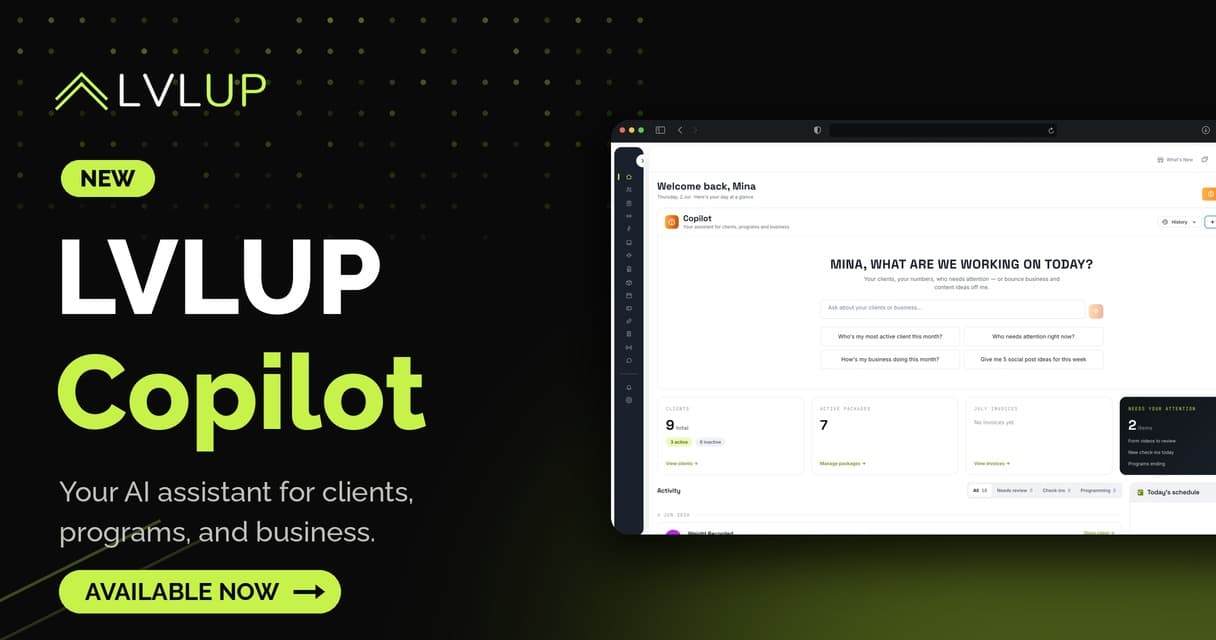
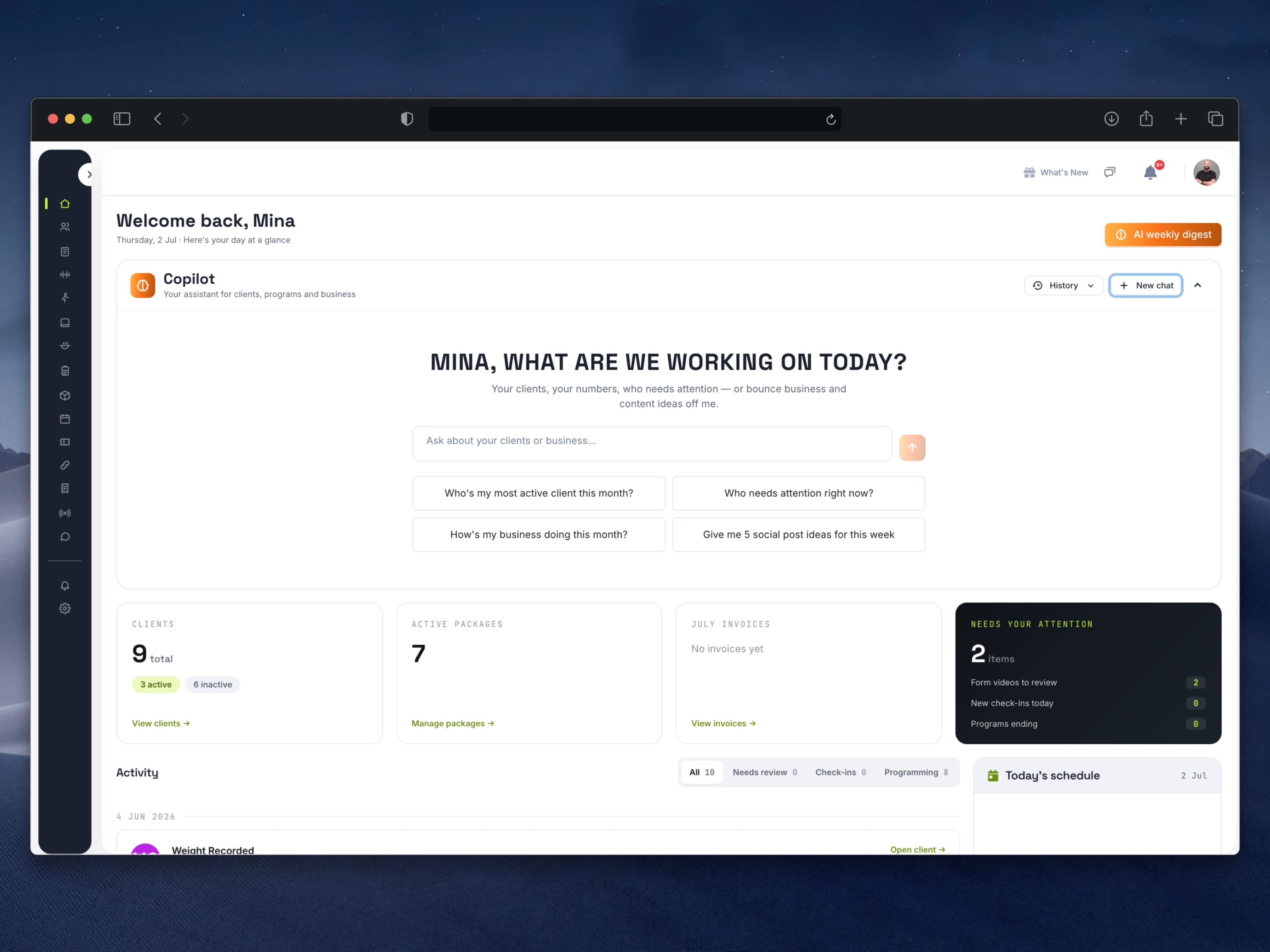
Your dashboard just got its first hire. LVLUP Copilot is live: an AI assistant for fitness coaches that sits at the top of your home page, answers from your clients' actual data, and does real work — check-ins, meal plans, training programs, even your social posts. Every action that touches a client happens only when you tap Apply, and it never touches money. Type what you need the way you'd text a colleague, and it gets done.
Here's what it can do today, and where the hard limits are.
What is LVLUP Copilot?
Copilot is a new panel built into the LVLUP coaching dashboard. It's connected to everything you already run on the platform: your roster, programs, meal plans, check-ins, messages, billing state, and synced health data. That connection is the whole point. Generic chatbots give you generic answers because they can't see your business. Copilot answers "who needs attention right now?" with actual names, because it can.
The timing isn't subtle. FitBudd's 2026 industry survey found 91% of fitness coaches now use AI in some form, and 45% specifically use it to cut admin work. Most of them are copy-pasting between ChatGPT and their coaching platform, re-typing client context every single time. Copilot removes that gap: the context is already there. We covered the broader tooling picture in AI for online fitness coaches; this is what it looks like when the AI lives inside the platform instead of beside it.
It answers from real client data, not guesses
Ask about anyone on your roster and the answer is grounded in what they actually logged:
- Roster at a glance — who's active, who's new, whose check-in is missing, who needs attention right now.
- Full client snapshots — status, current plan and program, goals, latest weight, billing state.
- Training analysis — every set they've logged: best lifts, estimated one-rep maxes, whether volume is trending up or stalling.
- Nutrition analysis — what they tracked versus the macros you set, day by day: how often they hit calories, whether protein is on target.
- Lifestyle and recovery — water, steps, workout consistency, plus synced sleep duration and resting heart rate.
- Body progress — weight trend, measurement changes, and progress photos. Copilot can see the photos and describe what changed between dates.
- Session attendance — who shows up to their 1:1s and who keeps missing.
- Business overview — client counts, growth this month versus last, and an estimate of your monthly recurring revenue.
That last one matters more than it looks. Most coaches can't answer "how did this month compare to last?" without opening three tools. Now it's one question.
Check-ins, handled start to finish
This is the flagship. Say "help me handle Sarah's check-in" and Copilot reads her submission, cross-references what actually happened that week — training, food, sleep, weight — and writes a structured progress report saved to her profile. Then it drafts a reply in your voice. You refine it together, tap Apply, and it lands in her chat.
A full check-in, grounded in real data, handled in minutes. If you've built your check-ins the way we laid out in our client check-in system guide, you know the review-and-respond loop is where the minutes go. This is that loop, compressed.
Meal plans and programs: it interviews you first
Copilot builds like a careful assistant, not an eager intern.
For meal plans, it asks before it writes: calories, macros, restrictions, structure. Then it lays out the full proposed menu for review. Nothing gets built until you approve, and approved plans are constructed from real, verified ingredients with correct portions — landing as drafts in your Meal Plans, never auto-assigned to anyone.
For training programs, same discipline: goal, experience, split, days, equipment, program length, then every training day written out with exercises, sets × reps, and rest. Every exercise is checked against your real exercise library before it's proposed. No made-up movements, ever.
Both sides handle migration, which has quietly been one of the most painful jobs in coaching. Paste any plan or program — from a document, another platform, even a screenshot — and Copilot recreates it in LVLUP faithfully, flagging any exercise your library doesn't have and suggesting the closest match. Edits work in place: swap a meal or a movement, change sets and reps, apply it to one day or the whole program. Draft edits apply instantly; anything touching a client's live plan comes as an approval card you tap, with undo after.
Your brand and the everyday admin
Copilot also works the business side. Upload your logo once and it designs social post images with your branding on every one: client transformation posts with before/after photos side by side, exercise posts from your own photo with muscle groups highlighted and technique cues, promos, quote cards. You agree on the design and exact text first; the finished image appears in chat about a minute later, ready to download and post.
Beyond images: captions, hashtags, content ideas, pricing thoughts, client-message drafts. It can message a client from chat (you polish, you tap Apply), save private notes to a profile, produce clean printable versions of any plan, and read any screenshot or photo you attach.
This is the ownership argument we made in branded coaching app vs shared platform, extended to your content: your logo, your voice, your client data, working for you instead of for a marketplace.
Why the approval gate is the feature
Plenty of tools now bolt on an AI that acts first and apologizes later. We built the opposite, deliberately. In FitBudd's survey, coaches' top AI concern was inaccurate or unsafe advice (54%), and 77% were adamant that AI can't replace the human coach. They're right. The value isn't an AI that coaches your clients — it's an assistant that clears the admin between you and your clients, while every decision stays yours.
That's also why Copilot's answers are constrained to your platform data. An assistant that guesses is worse than no assistant, because you have to check its work. One that cites your client's actual logged sets doesn't need checking — you'll recognize the truth of it instantly, because it's your business.
How to start
Open your dashboard. The Copilot panel is at the top of your home page. Start with "who needs attention right now?" and go from there — check-ins, a meal plan draft, a transformation post. If something looks off, the flag button in the panel sends the conversation straight to our support team. And if you're not on LVLUP yet, the full feature rundown is on the features page.
Key takeaways
- LVLUP Copilot is a built-in AI assistant that answers from your real client data: training logs, nutrition adherence, recovery, photos, attendance, and revenue.
- The flagship workflow handles a full client check-in start to finish — progress report plus a drafted reply in your voice — in minutes.
- Meal plans and programs are interview-first and approval-gated: verified ingredients, no invented exercises, drafts only until you say so.
- Paste or screenshot any plan or program from another platform and Copilot recreates it in LVLUP.
- Branded social post images, captions, and client-message drafts come from the same chat.
- Three unbreakable rules: real data only, nothing client-facing without your Apply, and it never touches money.
Say hello to your Copilot
It's already in your dashboard. Not on LVLUP yet? See how the platform and Copilot work together — start at Discover.
FAQ
Can LVLUP Copilot message my clients on its own?
No. Copilot drafts messages, but nothing reaches a client until you review it and tap Apply. The same gate covers plan assignments and edits to live programs, and most changes can be undone with one tap.
Where does Copilot get its information?
Exclusively from your LVLUP data: logged workouts, tracked nutrition, check-in submissions, synced health metrics, photos, attendance, and billing state. It doesn't guess, and if the data isn't there, it says so.
Can Copilot build a meal plan or program from a screenshot?
Yes. Paste or attach a plan from a document, another platform, or a screenshot and Copilot recreates it in LVLUP — using verified ingredients for meals and flagging any exercise not in your library with the closest match.
Does Copilot handle billing or payments?
Never. Payments, refunds, and subscriptions always stay in your hands. Copilot can report on your billing state and estimated monthly recurring revenue, but it cannot move money.
Does using an AI assistant replace my coaching?
No, and it isn't meant to. In FitBudd's 2026 survey, 77% of coaches said AI can never replace the human coach. Copilot clears the admin around the coaching — the check-in triage, the plan building, the content — so more of your hours go to actual clients.